✅ How to Create Google My Business (GMB) Profile for Free – Step by Step Guide
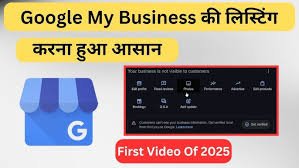
How to Create Google My Business (GMB) Profile Free in 2026—Step-by-Step Guide
In 2026, Google My Business (officially called Google Business Profile) is no longer optional—it is the foundation of local SEO.
Whether you are:
-
a website developer in Noida
-
a spa or salon in Gurgaon
-
a freelancer or digital agency
-
an e-commerce seller with local delivery
👉 A properly optimized Google Business Profile can generate free calls, visits, WhatsApp leads, and sales directly from Google Search & Maps.
This 2026 updated guide will show you:
-
How to create a GMB profile for free
-
How to verify it (latest methods)
-
How to optimize it for local SEO
-
20 most asked Google My Business FAQs
🔍 What Is Google My Business (Google Business Profile) in 2026?
Google Business Profile (GBP) is a free Google tool that lets your business appear on:
✔️ Google Search
✔️ Google Maps
✔️ “Near me” & AI-powered local results
When people search:
-
“website developer in Noida”
-
“spa near me”
-
“ecommerce store in Gurgaon”
👉 Your business shows with:
-
Name & category
-
Phone number / WhatsApp
-
Location & directions
-
Reviews & ratings
-
Photos, services & updates
📌 2026 Truth:
For local businesses, Google Maps is the new homepage.
✅ Why Creating a GMB Profile Is Important in 2026
A Google Business Profile helps you:
✔️ Rank in local search results
✔️ Appear in Google Maps Top 3 (Local Pack)
✔️ Build instant trust via reviews
✔️ Get direct calls & visits
✔️ Compete with big brands locally—for free
💡 Whether you are a freelancer, spa owner, digital marketer, or e-commerce seller, GMB helps customers find you faster.
🛠 Step-by-Step: How to Create Google My Business Profile Free (2026)
✅ Step 1: Visit Google Business Profile
Go to 👉 https://www.google.com/business
Click “Manage Now.”
✅ Step 2: Sign In with Gmail
Log in using a business Gmail account (recommended for security & long-term control).
✅ Step 3: Enter Your Business Name
Type your exact brand name.
Example:
SSB Digital India
⚠️ Avoid adding keywords in the name (Google may suspend).
✅ Step 4: Choose the Right Business Category
Select your primary category carefully.
Examples:
-
Website Designer
-
Digital Marketing Service
-
AC Repair
-
Spa
-
Packers and Movers
📌 You can add secondary categories later.
✅ Step 5: Add Business Location or Service Area
Choose one option:
✔️ Yes—if customers visit your office/shop
✔️ No – if you visit customers (service-based business)
Example service areas:
-
Greater Noida
-
Noida
-
Gaur City
-
Delhi NCR
✅ Step 6: Add Contact Details
Add:
-
📞 Business phone number
-
🌐 Website link (optional but highly recommended)
✅ Step 7: Verify Your Business (2026 Methods)
Google may verify using:
-
📬 Postcard (5–12 days)
-
📞 Phone or Email
-
🎥 Video verification (very common in 2026)
Follow Google’s instructions to complete verification.
✅ Step 8: Complete & Optimize Your Profile
Once verified, fill in:
✔️ Business hours
✔️ Logo & cover photo
✔️ Business description (750 characters)
✔️ Services or products
✔️ FAQ section
✔️ Weekly posts & updates
Example Business Description (2026):
SSB Digital India is a professional website designing and digital marketing company in Greater Noida, offering SEO-friendly websites, ecommerce development, and local SEO services.
🏢 Types of Businesses That Should Create GMB (2026)
| Business Type | GMB Suitable |
|---|---|
| Website Designer / Freelancer | ✅ Yes |
| Salon/Spa/Wellness | ✅ Yes |
| Ecommerce (Local Delivery) | ✅ Yes |
| Electrician/Plumber | ✅ Yes |
| Digital Marketing Agency | ✅ Yes |
| Schools / Coaching Centres | ✅ Yes |
| Restaurants / Cafes | ✅ Yes |
| Packers & Movers | ✅ Yes |
| Car/Bike Repair | ✅ Yes |
| Retail Shops (Any Category) | ✅ Yes |
👉 If customers search for you locally, you need GMB.
🧠 Top 20 Google My Business FAQs (2026 Updated)
1. Is Google My Business free?
Yes, 100% free.
2. How long does verification take?
5–12 days; sometimes instant.
3. Can I manage multiple businesses from one Gmail?
Yes.
4. Best category for a website design business?
Website Designer / Software Company.
5. Can I list a business without an address?
Yes, using service areas.
6. How to rank in the top 3 on Google Maps?
Reviews, photos, posts, and keyword optimization.
7. What posts can I publish?
Offers, updates, services, blogs, and events.
8. How to get more reviews?
Ask happy customers & share the review link.
9. Is a website mandatory for GMB?
No, but highly recommended.
10. Can I edit the business name later?
Yes, but re-verification may be required.
11. Does GMB help SEO?
Yes, it’s a core local ranking factor.
12. Can I add keywords in GMB?
Yes, naturally in the description & services.
13. How many images to upload?
Minimum 5–10 (logo, cover, work, team).
14. How to change business hours?
Profile → Edit → Hours.
15. Can I run Google Ads from GMB?
Yes, via Google Ads integration.
16. What is GMB suspension?
Violation of Google guidelines.
17. Can I transfer ownership?
Yes, via the Users section.
18. What if I don’t verify GMB?
It won’t appear publicly.
19. Can I hide my phone number?
No, but call tracking can be managed.
20. Can I hire a GMB expert?
Yes—agencies like SSB Digital India help professionally.
- Website Development services delhi ncr near me
- Google Expert In Greater Noida
- GMB SEO Expert in Noida – Rank Your Business in Top 3 on Google Maps
- GMB SEO Expert in Ghaziabad – Rank in Top 3 on Google Maps near me
- Boost Your Local Business with SEO in Noida, Greater Noida & Ghaziabad – SSB Digital India

Get In Touch
Centre Gaur Chowk, LG-35, Gaur City, West, Sector 4, Greater Noida, Uttar Pradesh 203207
+91 9315-814-211 | 8377014621 | 8377014691 | 7088091951
info@ssbdigitalindia.com
Quick Links
Home About Us Our Services Contact Us Privacy & Policy Refund & Cancellation Policy Terms and ConditionsPhoto Gallery