Why Is Your GMB Profile Not Appearing in Search? – Full Guide for Delhi & Noida Areas
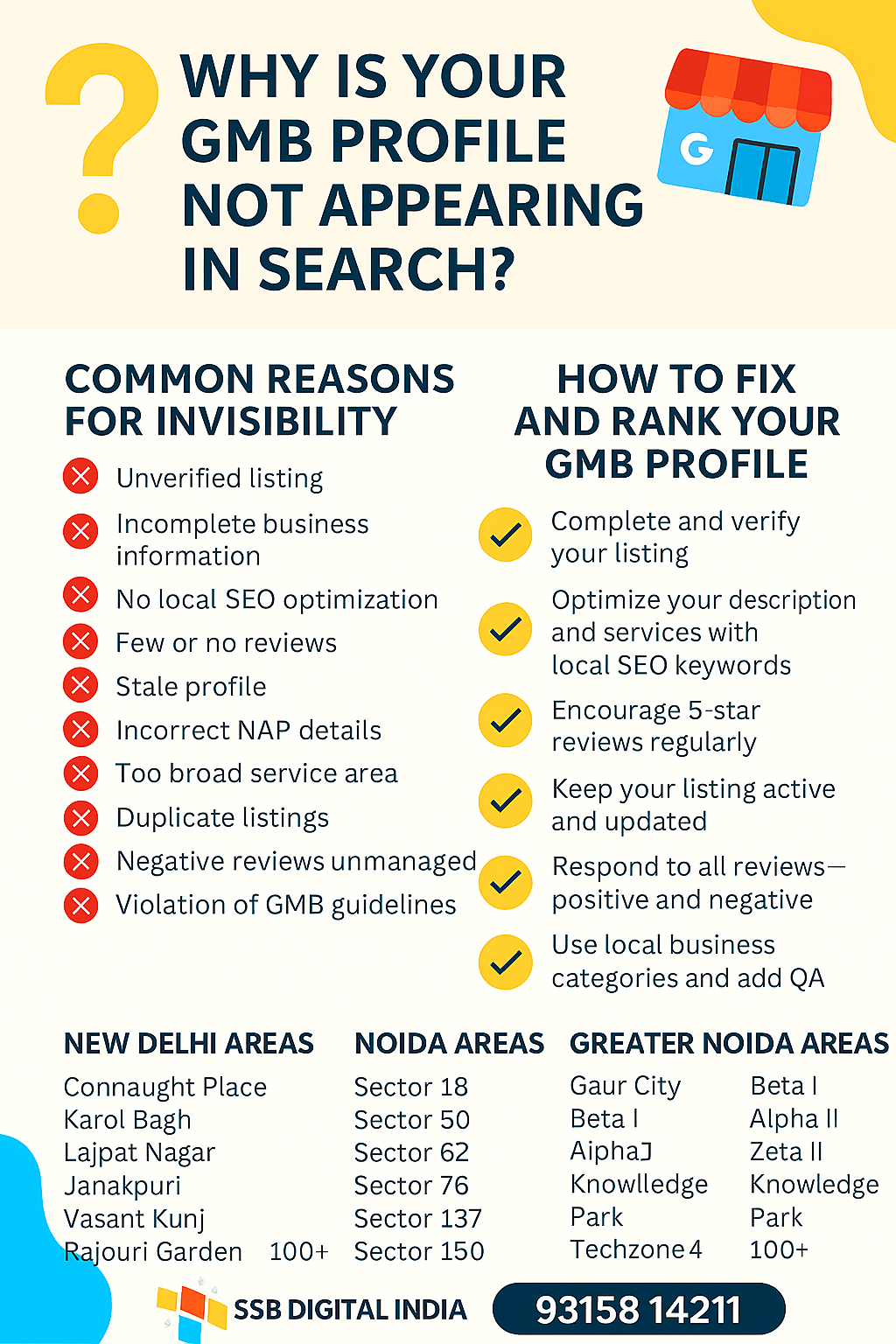
Why is Your GMB Profile Not Appearing in Google Search? (Complete Local SEO Guide for 2026)
Local businesses today depend heavily on Google search and Google Maps visibility to get customers. Whether you run a salon in Karol Bagh, a restaurant in Connaught Place, or a service business in Noida Extension, your Google Business Profile (GMB) plays a crucial role in attracting local customers.
However, many business owners face a frustrating problem — their GMB profile does not appear in Google search results or Google Maps.
If your Google Business Profile is not showing up, it usually means your listing is not properly optimized or verified. In this complete guide, we will explain why this happens and how you can fix it using proven Local SEO strategies.
This guide is especially helpful for businesses in Noida, Greater Noida, Delhi, and nearby areas looking to improve their Google Maps ranking and local search visibility.
Why Your Google Business Profile Visibility Matters
Your Google Business Profile Optimization directly affects how customers find your business.
When someone searches:
-
“Digital marketing agency in Sector 62 Noida”
-
“Salon near Dwarka”
-
“Best restaurant in Connaught Place”
Google shows local results on Maps and the Local Pack.
If your profile is not optimized properly, Google may not show your business even if you provide the service.
Benefits of a properly optimized GMB profile include:
-
Higher Google Maps ranking
-
More calls and leads
-
Better local visibility
-
Increased customer trust through reviews
-
More website visits
This is why Local SEO services are critical for businesses in Delhi NCR.
Common Reasons Why Your GMB Profile Is Not Appearing
Below are the most common issues that prevent a Google Business Profile from appearing in search results.
1. Your Google Business Profile Is Not Verified
Verification is the first requirement for Google to display your listing.
If your business profile is not verified, Google will not show it in local search or Maps.
Google usually verifies businesses through:
-
Postcard verification
-
Phone verification
-
Email verification
-
Video verification
Until verification is completed, your listing will remain inactive in search results.
Solution
Login to your Google Business Profile dashboard and complete verification immediately.
2. Incorrect Business Information (NAP Issues)
NAP stands for:
-
Name
-
Address
-
Phone Number
If your business information is inconsistent across the internet, Google may not trust your listing.
For example:
Your website says:
Sector 62 Noida
But your Google Business Profile shows:
Sector 63 Noida
This mismatch can negatively affect Google Maps ranking.
Solution
Make sure your NAP details are identical everywhere, including:
-
Your website
-
Google Business Profile
-
Local directories
-
Social media pages
Consistency improves Local SEO signals.
3. Wrong Business Categories
Choosing the wrong category is one of the biggest mistakes in GMB optimization.
For example:
Instead of choosing a specific category like:
-
Digital Marketing Agency
-
AC Repair Service
-
Home Appliance Repair Service
Many businesses select generic categories like:
-
Services
-
Consultant
-
Business
This confuses Google's algorithm.
Solution
Select accurate and relevant categories that clearly describe your services.
For example:
-
Digital Marketing Agency in Sector 62 Noida
-
Local SEO Services in Greater Noida
-
Google Business Profile Optimization Service
This improves keyword relevance and ranking.
4. Low Engagement on Your GMB Profile
Google prefers businesses that actively interact with customers.
If your profile has:
-
Few reviews
-
No responses to reviews
-
No updates or posts
-
Low engagement
Google may consider your listing inactive or less trustworthy.
Solution
Improve engagement by:
-
Encouraging customer reviews
-
Replying to every review
-
Posting weekly updates
-
Uploading new photos
Businesses with active profiles rank higher on Google Maps.
5. No Service Areas Mentioned
If your business serves multiple locations but you have not defined service areas, Google may not show your listing for those searches.
For example:
If someone searches:
“Digital marketing agency in Gaur City”
Your business may not appear if Gaur City is not listed as a service area.
Solution
Add detailed service areas like:
-
Gaur City
-
Sector 18 Noida
-
Sector 62 Noida
-
Noida Extension
-
Alpha Greater Noida
-
Beta Greater Noida
-
Gamma Greater Noida
-
Dwarka
-
Karol Bagh
-
Connaught Place
This improves local search relevance.
6. Your GMB Profile Is Inactive
Google prefers businesses that regularly update their profiles.
If your listing has not been updated for months, Google may reduce its visibility.
Solution
Keep your listing active by:
-
Posting weekly updates
-
Uploading photos
-
Updating services
-
Responding to reviews
Activity signals tell Google your business is real and active.
Step-by-Step Guide to Fix GMB Visibility Issues
Here is a simple Local SEO strategy to fix Google Business Profile visibility problems.
Step 1: Verify Your Google Business Profile
Go to your Google Business dashboard and complete verification through:
-
Postcard
-
Phone
-
Email
Verification unlocks full visibility on Google Maps.
Step 2: Optimize Your Business Information
Make sure you add:
-
Correct business name
-
Accurate address
-
Local phone number
-
Website link
-
Business hours
These elements improve Google Business Profile optimization.
Step 3: Add Location-Based Keywords
Include location phrases naturally in your business description.
Example:
We provide digital marketing services in Gaur City, Alpha II Greater Noida, Sector 62 Noida, Connaught Place Delhi, and Noida Extension.
This helps Google understand where your business operates.
Step 4: Upload Local Photos
Photos increase profile engagement and credibility.
Upload images like:
-
Your office
-
Team members
-
Work process
-
Local landmarks
Businesses with photos get 42% more requests for directions.
Step 5: Post Regular Updates
Post weekly content like:
-
Offers
-
Service updates
-
Blog links
-
Customer success stories
This signals activity to Google.
Step 6: Add Services and Products
List services with location-based keywords.
Examples:
-
Local SEO Services in Noida
-
Google Maps Ranking Service in Greater Noida
-
Digital Marketing Agency in Sector 62 Noida
This helps your listing rank for specific search queries.
Advanced Local SEO Strategies for Better GMB Ranking
If you want to dominate Google Maps results in Delhi NCR, follow these expert tips.
Use Local Landing Pages
Create website pages targeting locations like:
-
Digital Marketing Agency in Noida
-
Local SEO Services in Greater Noida
-
Google Business Profile Expert in Connaught Place
Build Local Citations
List your business on directories like:
-
Justdial
-
IndiaMART
-
TradeIndia
-
Sulekha
These improve local authority.
Get High-Quality Reviews
Encourage satisfied customers to leave reviews mentioning:
-
Service
-
Location
-
Experience
Example review:
“Best digital marketing agency in Sector 62 Noida. Highly recommended.”
Reviews with keywords boost local ranking signals.
Common GMB Optimization Mistakes
Many businesses unknowingly make mistakes that affect rankings.
Avoid these errors:
-
Using keyword stuffing in business name
-
Selecting irrelevant categories
-
Ignoring customer reviews
-
Not updating business hours
-
Uploading low-quality images
-
Using inconsistent contact details
Correcting these mistakes improves Google Maps ranking stability.
FAQ – Google Business Profile Visibility Issues
Why is my GMB profile not showing on Google?
Your listing may not appear because of verification issues, wrong categories, incomplete information, or inactivity.
How long does it take for GMB to appear in Google search?
After verification, it usually takes 24 hours to several days for your listing to appear in search results.
Can Local SEO help improve GMB ranking?
Yes. Proper Local SEO services and Google Business Profile optimization can significantly improve your ranking on Google Maps and local search results.
Why is my business not ranking in my city?
This could happen due to:
-
Weak local signals
-
Few reviews
-
Poor optimization
-
Strong competitors
A professional GMB Expert can help fix these issues.
Final Thoughts
If your Google Business Profile is not appearing in Google search, the issue is usually related to verification, optimization, or inactivity.
By following the strategies mentioned in this guide, you can:
-
Improve Google Maps ranking
-
Increase local visibility
-
Get more calls and customers
Businesses in Noida, Greater Noida, Gaur City, Dwarka, and Connaught Place can benefit significantly from proper Local SEO optimization.
🚀 Get Your Google Business Profile Ranked with SSB Digital India
If your GMB listing is not showing on Google or not ranking on Maps, our experts can help.
SSB Digital India is a trusted Digital Marketing Agency specializing in Local SEO and Google Business Profile Optimization for businesses across Noida, Greater Noida, and Delhi NCR.
Our Special Offer
✅ Free GMB Audit
✅ Complete Google Business Profile Optimization
✅ Google Maps Ranking Strategy
✅ Local SEO for high-intent keywords
Rank Growth X Plan
₹15,000 + GST
90-Day Ranking Growth Guarantee
📍 Address: LG-35, Gaur City Center, Greater Noida West
📞 Phone: +91-9315814211
Contact us today and let our GMB experts help your business rank higher on Google Maps.
- Website Development services delhi ncr near me
- Google Expert In Greater Noida
- GMB SEO Expert in Noida – Rank Your Business in Top 3 on Google Maps
- GMB SEO Expert in Ghaziabad – Rank in Top 3 on Google Maps near me
- Boost Your Local Business with SEO in Noida, Greater Noida & Ghaziabad – SSB Digital India


Get In Touch
Centre Gaur Chowk, LG-35, Gaur City, West, Sector 4, Greater Noida, Uttar Pradesh 203207
+91 9315-814-211 | 8377014621 | 8377014691 | 7088091951
info@ssbdigitalindia.com
Quick Links
Home About Us Our Services Contact Us Privacy & Policy Refund & Cancellation Policy Terms and ConditionsPhoto Gallery