"How to Optimize Google My Business for Multiple Locations"
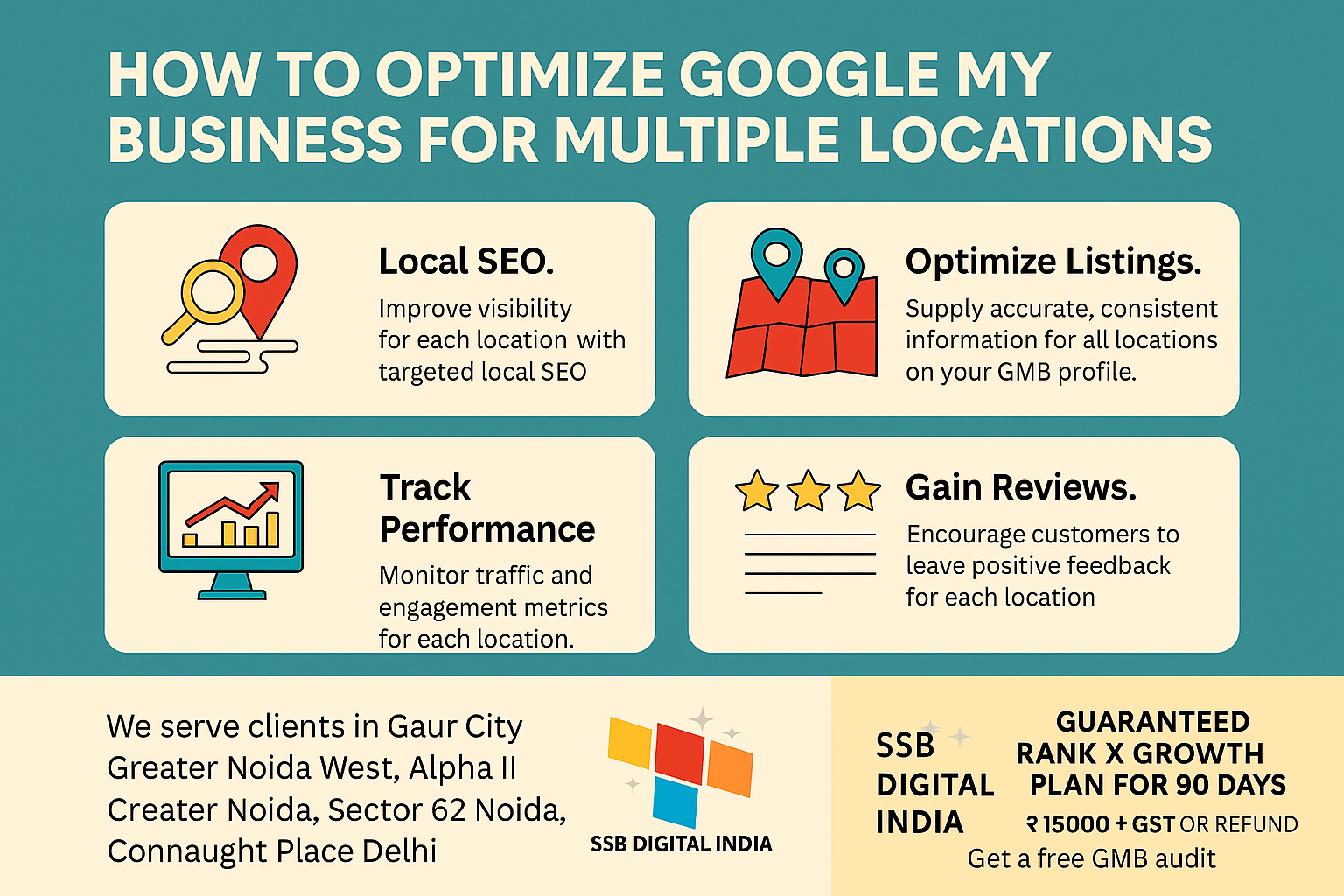
How to Optimize Google My Business for Multiple Locations (Complete Local SEO Guide)
If your business operates in more than one area, simply having a single Google Business Profile is not enough. To dominate local search results and appear in multiple Google Maps searches, you need a structured strategy for managing and optimizing multiple locations.
Many businesses across Noida, Greater Noida, and Delhi NCR struggle to manage their multi-location presence effectively. Poorly optimized listings often result in lost visibility, fewer leads, and missed opportunities.
In this blog, we will discuss:
• Why multiple GMB listings are important
• How to create and optimize GMB profiles for different locations
• Local SEO strategies for ranking each location
• How to collect reviews and build local authority
• Common mistakes businesses make with multi-location listings
By the end of this guide, you'll understand how to improve your Google Maps ranking across multiple cities and sectors.
Why Multi-Location GMB Optimization Matters
Google prioritizes businesses that provide accurate, location-specific information. When your business has multiple branches, properly optimizing each listing allows Google to show your business to customers searching nearby.
For example, if someone searches:
• “Digital marketing agency in Sector 62 Noida”
• “SEO expert in Connaught Place Delhi”
• “Website development company in Greater Noida West”
Google will prioritize businesses with properly optimized local listings for those specific locations.
Without location optimization, your competitors will rank above you in Google Maps results and the Local 3-Pack.
1. Create a Separate GMB Listing for Each Location
Google requires every physical business location to have its own verified Google Business Profile listing.
Each listing should include:
• Accurate business name
• Verified address
• Local phone number
• Correct business category
• Working hours
• Website link
Make sure the NAP details (Name, Address, Phone Number) remain accurate for every location.
This helps Google understand that your business legitimately operates in multiple areas.
2. Use Location-Based Keywords
One of the most important ranking factors for local SEO is geo-targeted keywords.
You should naturally include location keywords in:
• Business description
• Services section
• Google posts
• Website pages
Examples include:
• Digital Marketing Agency in Sector 62 Noida
• SEO Services in Greater Noida West
• Website Development Company in Connaught Place Delhi
You can also mention service areas such as:
Gaur City, Alpha I & II, Knowledge Park, Sector 18 Noida, Sector 137 Noida, Noida Extension, and many more.
Using local keywords tells Google exactly where your services are available.
3. Create Dedicated Location Pages on Your Website
If your business has multiple service areas, your website should also reflect that.
Create separate location pages for each area.
Each page should include:
• Unique location-specific content
• Embedded Google Map
• Local customer testimonials
• Service information for that location
• Area-specific keywords
For example:
• Digital Marketing Services in Noida
• SEO Company in Greater Noida
• GMB Optimization Services in Delhi NCR
This strengthens both website SEO and GMB rankings.
4. Post Geo-Targeted Updates on Google Business Profile
Google Business Profile posts help improve visibility and engagement.
You should regularly post:
• Local offers
• Business updates
• Customer success stories
• Service announcements
Example posts:
“Special SEO Offer for Businesses in Sector 18 Noida”
“Now providing GMB optimization services in Gaur City and Noida Extension.”
Geo-targeted posts signal to Google that your business is active in specific areas.
5. Collect Reviews for Each Location
Customer reviews are a powerful ranking factor in local SEO.
Encourage customers from each location to leave reviews mentioning the service area.
Example review:
“Great digital marketing service in Sector 62 Noida.”
“Best SEO expert in Greater Noida West.”
You should also reply to every review professionally and include the location name naturally.
This builds trust and local relevance.
6. Upload High-Quality Location Photos
Adding photos improves engagement and signals authenticity.
For each location upload:
• Office photos
• Team photos
• Work examples
• Client interactions
You should also name images using SEO-friendly file names, such as:
digital-marketing-agency-sector-62-noida.jpg
location-seo-services-greater-noida.jpg
Images help Google understand your physical presence in the area.
7. Maintain Consistent Business Information
Consistency across platforms is critical.
Your business details should remain the same across:
• Google Business Profile
• Website
• Social media pages
• Business directories
Make sure the following remain consistent:
• Business name format
• Categories
• Contact details
• Website link
Consistency builds Google trust signals.
8. Use Google Location Groups for Large Businesses
If your business manages 10 or more locations, Google allows you to manage them using Location Groups.
This feature allows you to:
• Bulk manage listings
• Assign team permissions
• Track performance easily
• Manage updates across all branches
This is especially useful for franchises and multi-city businesses.
9. Build Local Citations for Every Location
Citations help strengthen your local SEO authority.
List each location on trusted directories such as:
• JustDial
• Sulekha
• IndiaMart
• Yelp
• TradeIndia
Make sure the NAP information matches your Google listing exactly.
This improves credibility and search visibility.
10. Monitor Performance Using Google Insights
Google Business Profile provides analytics through Insights.
You should track:
• Search queries
• Listing views
• Phone calls
• Direction requests
• Website clicks
Tracking these metrics helps you understand which locations perform best and where improvements are needed.
Areas We Serve Across Delhi NCR
Our GMB optimization services cover 200+ locations, including:
Connaught Place, Janakpuri, Dwarka, Hauz Khas, Karol Bagh, Lajpat Nagar, South Extension, Rohini, Pitampura, Noida Sector 18, Sector 62, Sector 63, Sector 76, Sector 78, Sector 105, Sector 121, Sector 122, Noida Extension, Greater Noida West, Alpha I, Alpha II, Beta I, Knowledge Park I–V, Techzone IV, Pari Chowk, Crossing Republik, Indirapuram, Vaishali, Raj Nagar Extension, and many more locations across Delhi, Noida, and Greater Noida.
Frequently Asked Questions (FAQ)
How many Google Business listings can one business have?
A business can have multiple listings if it has different physical locations or branches.
Can I rank multiple locations on Google Maps?
Yes. By optimizing each location separately using local keywords, reviews, and citations, you can rank multiple locations.
Do I need a website for multi-location SEO?
Yes. Creating separate location pages on your website improves both SEO and Google Maps rankings.
How long does it take to rank a GMB listing?
With proper optimization and local SEO strategies, most businesses start seeing improvements within 60–90 days.
📞 Get a Free Multi-Location GMB Audit – SSB Digital India
If you want to rank your business in multiple locations across Delhi NCR, our experts can help.
At SSB Digital India, we specialize in Google Business Profile optimization and local SEO strategies that help businesses dominate Google Maps.
Our Rank Growth X Plan ensures measurable ranking improvement.
✔ 90-Day Ranking Growth Strategy
✔ 200+ Locations Covered Across Delhi NCR
✔ Free Multi-Location GMB Audit
✔ 100% Ethical Local SEO Techniques
📞 Call / WhatsApp: 9315814211
📧 Email: ssbdigitalindia@gmail.com
Start dominating Google Maps searches in every location where your business operates.
- Website Development services delhi ncr near me
- Google Expert In Greater Noida
- GMB SEO Expert in Noida – Rank Your Business in Top 3 on Google Maps
- GMB SEO Expert in Ghaziabad – Rank in Top 3 on Google Maps near me
- Boost Your Local Business with SEO in Noida, Greater Noida & Ghaziabad – SSB Digital India


Get In Touch
Centre Gaur Chowk, LG-35, Gaur City, West, Sector 4, Greater Noida, Uttar Pradesh 203207
+91 9315-814-211 | 8377014621 | 8377014691 | 7088091951
info@ssbdigitalindia.com
Quick Links
Home About Us Our Services Contact Us Privacy & Policy Refund & Cancellation Policy Terms and ConditionsPhoto Gallery